
Séparer les Lockers et Points Relais® dans deux modes de livraison
For delivery in France, you have the option of separating Point Relais® and Lockers delivery methods.
Attention, cette séparation n'est disponible et fonctionnelle que pour la France et la Belgique.
Step-by-step tutorial
-
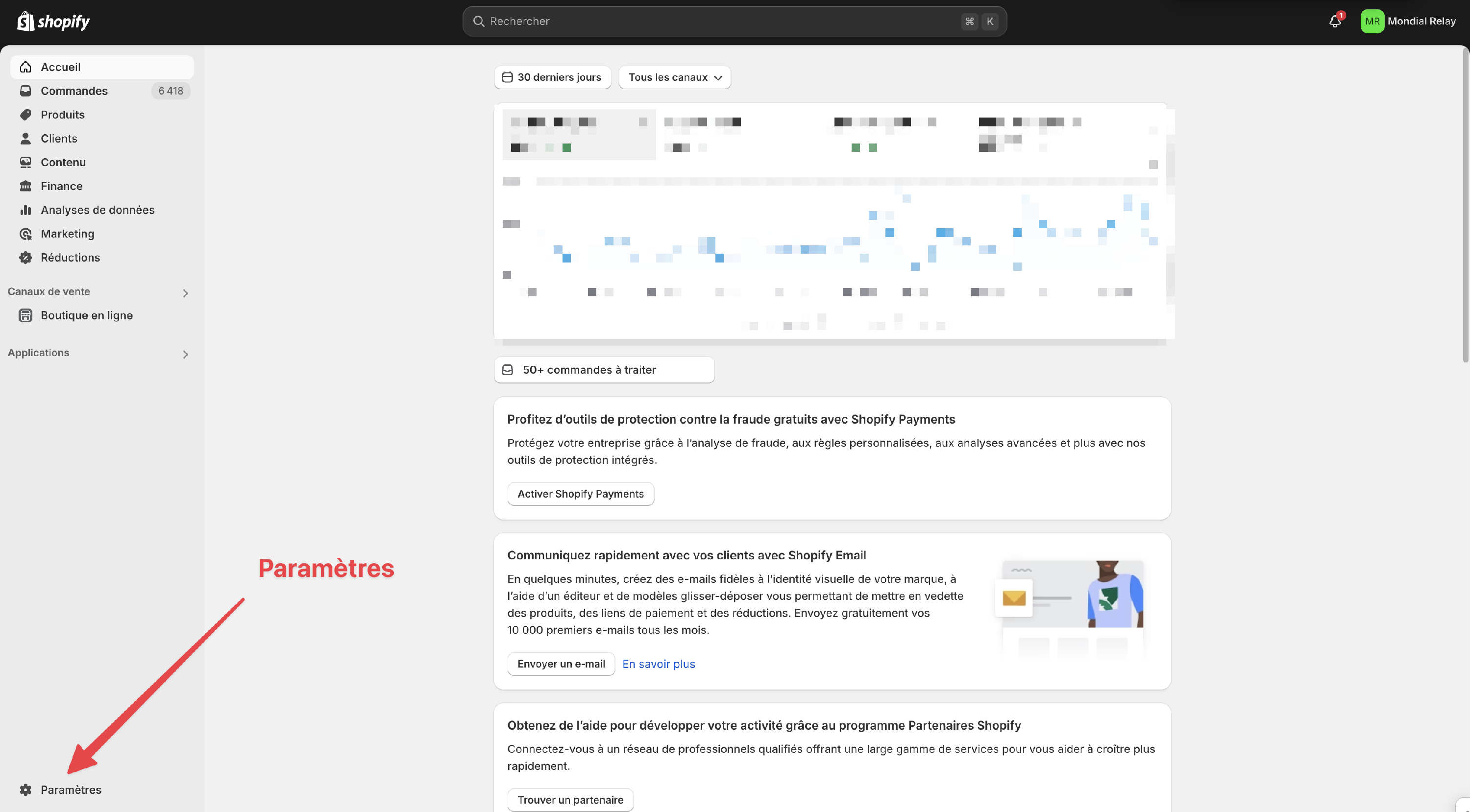
Log in to your Shopify backoffice and open the settings.
-
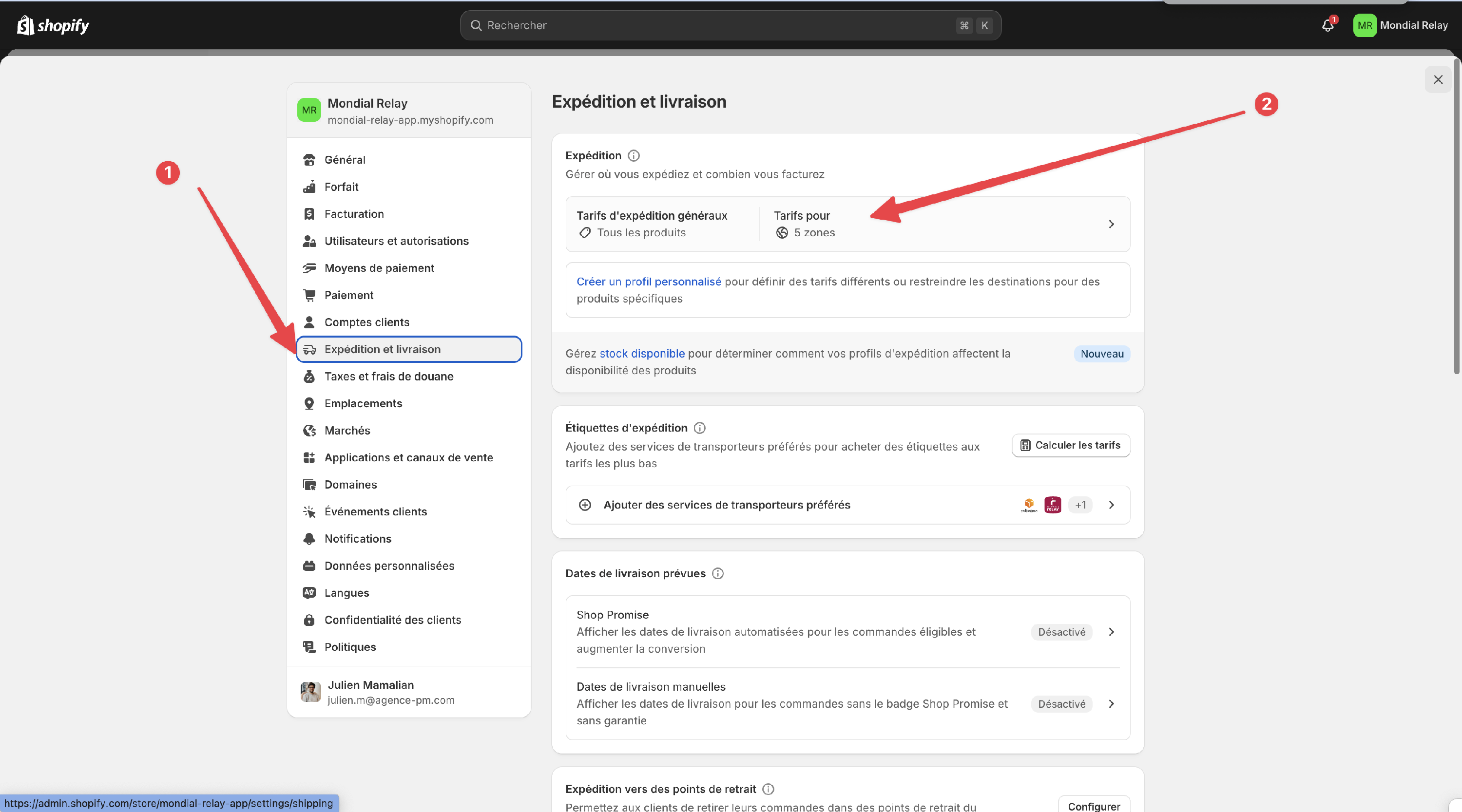
Go to the Shipping & Delivery tab and click on the rates that include France.
-
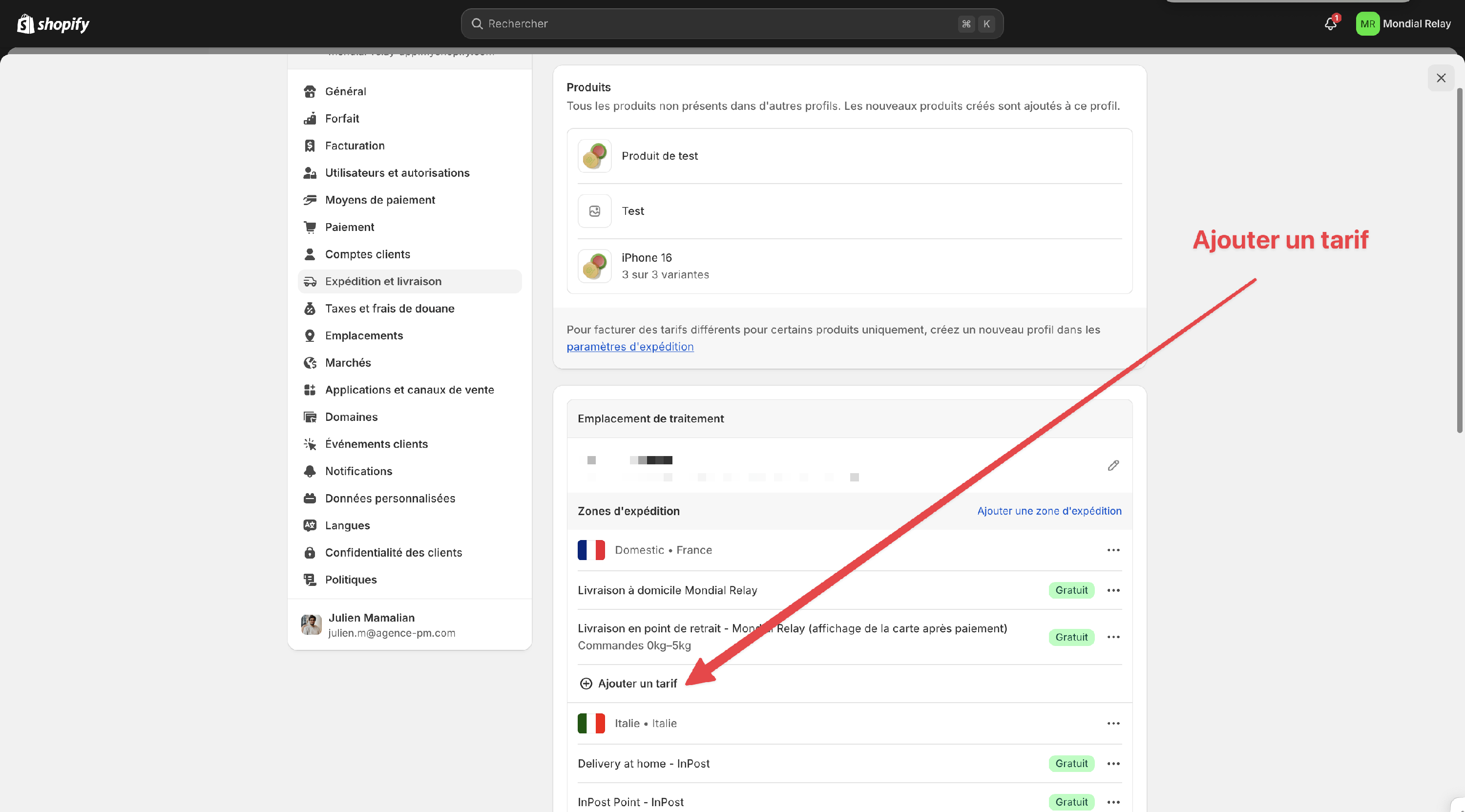
Create a new tariff by clicking on Add a tariff
-
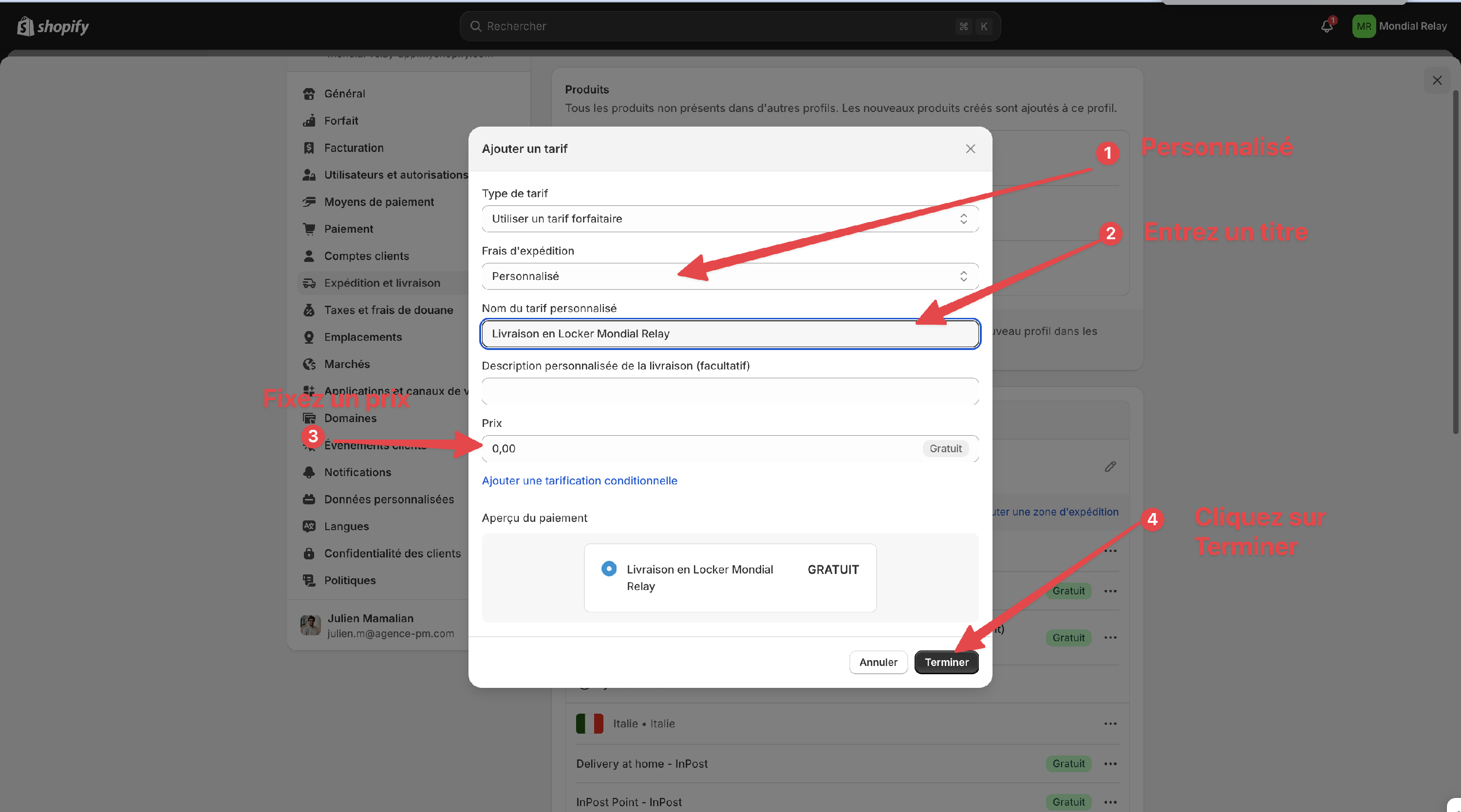
Create a delivery method for lockers.
Please note that the delivery method must contain the keywords "locker" andMondial Relay", so we recommend that you call it: Delivery by locker Mondial Relay
Click on Finish to create your delivery method.
-
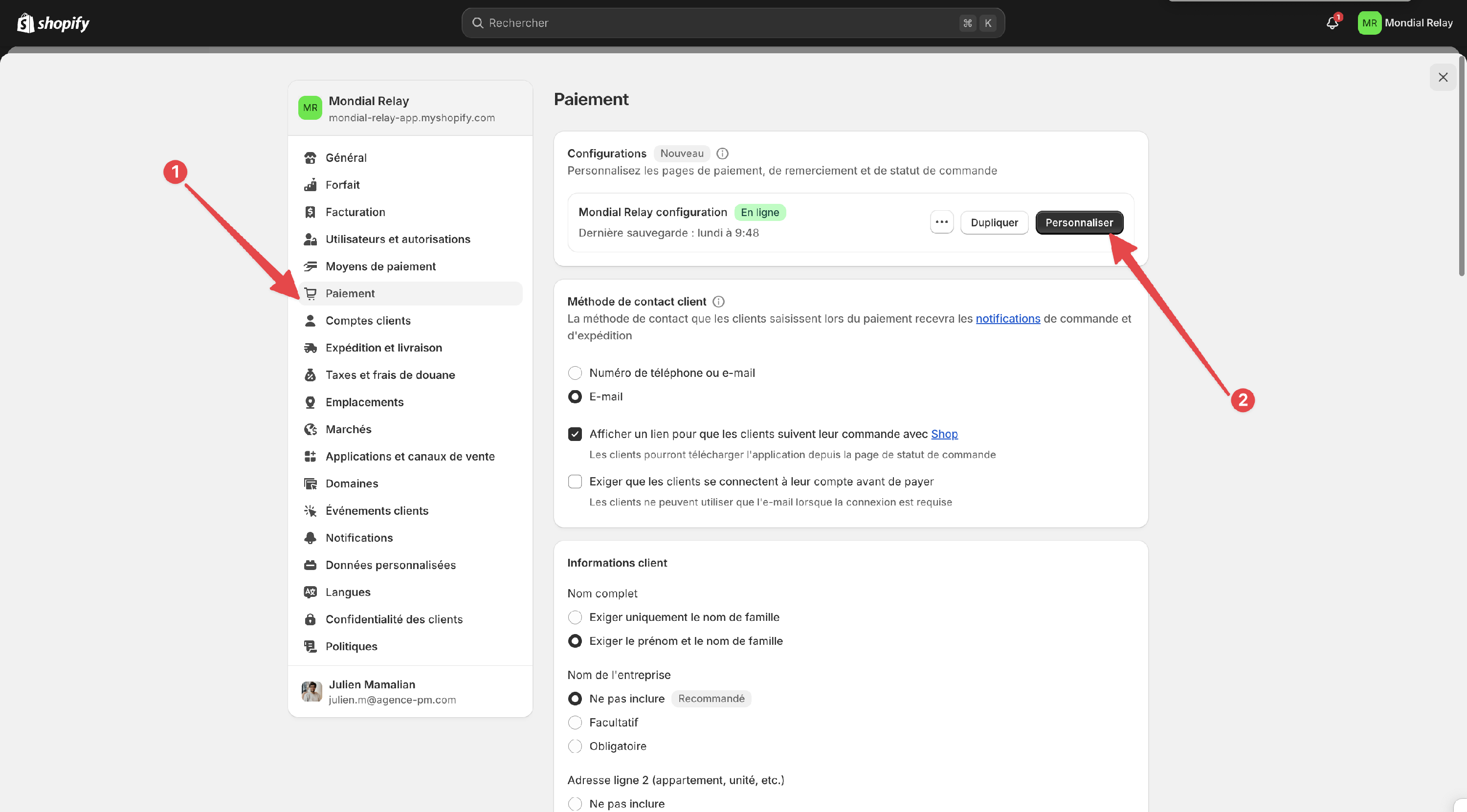
Then go to Payment settings and click on Customize in the current Live configuration.
-
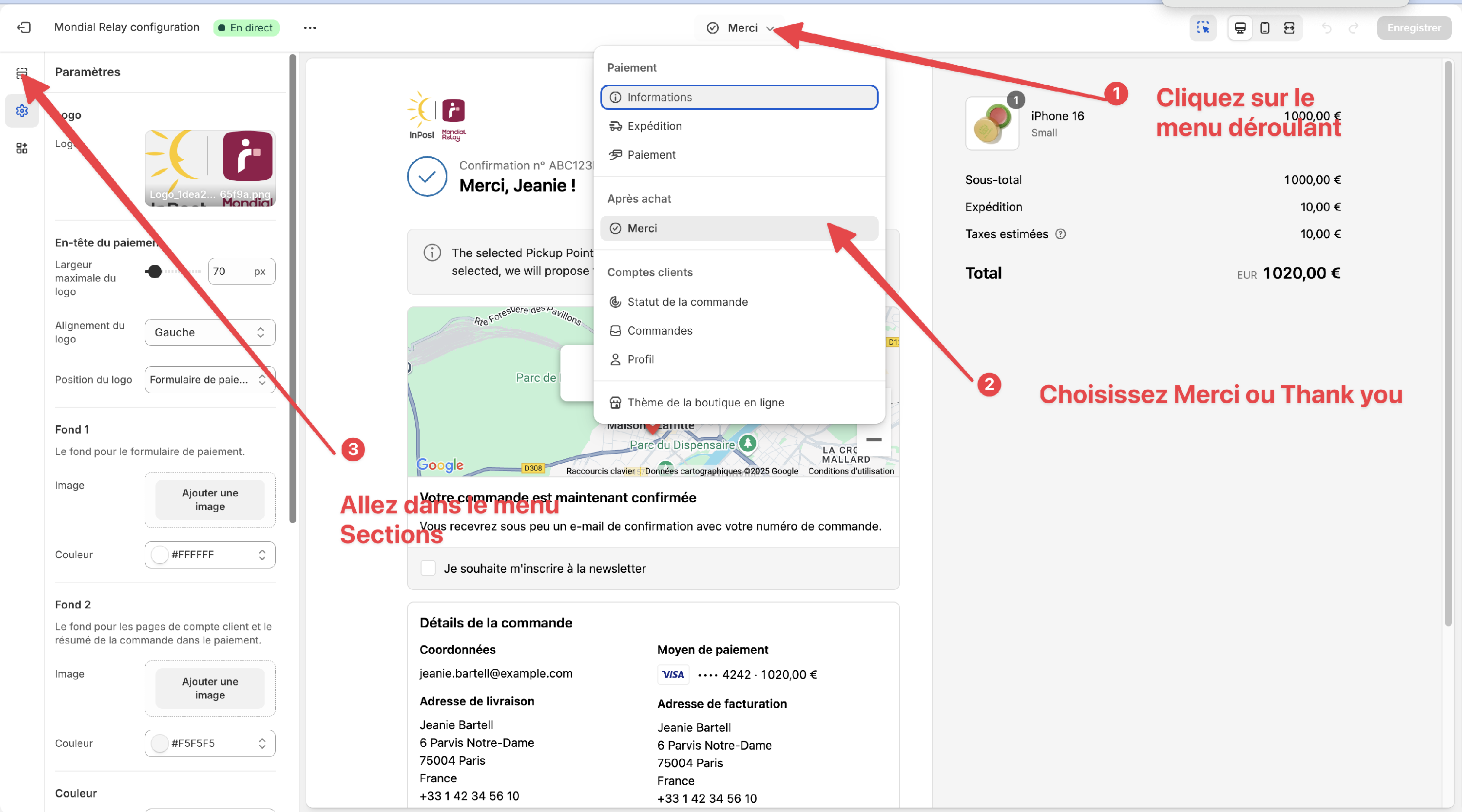
Go to Settings on the "Merci" page, then to the Sections tab
-
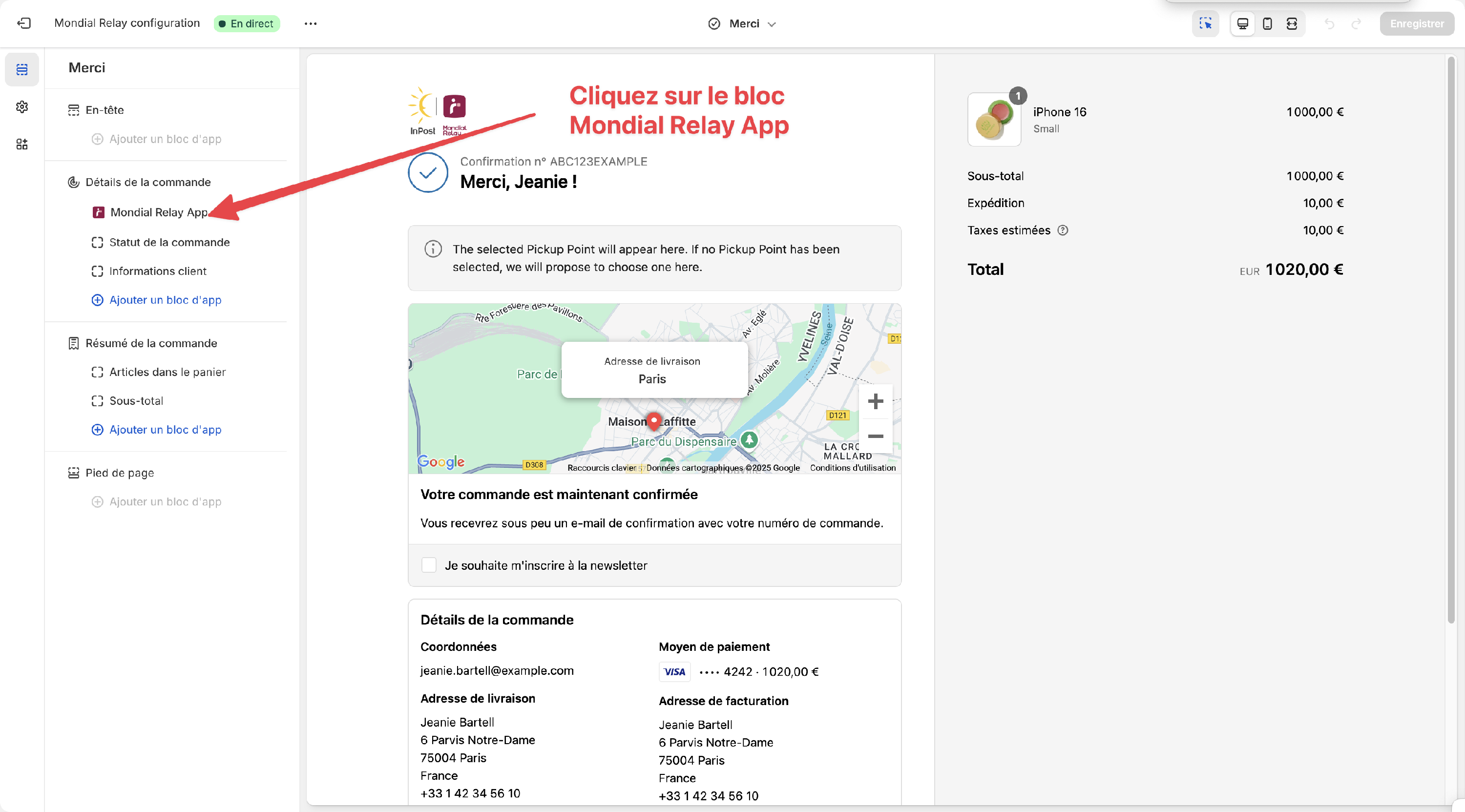
Click on the Mondial Relay App block
-
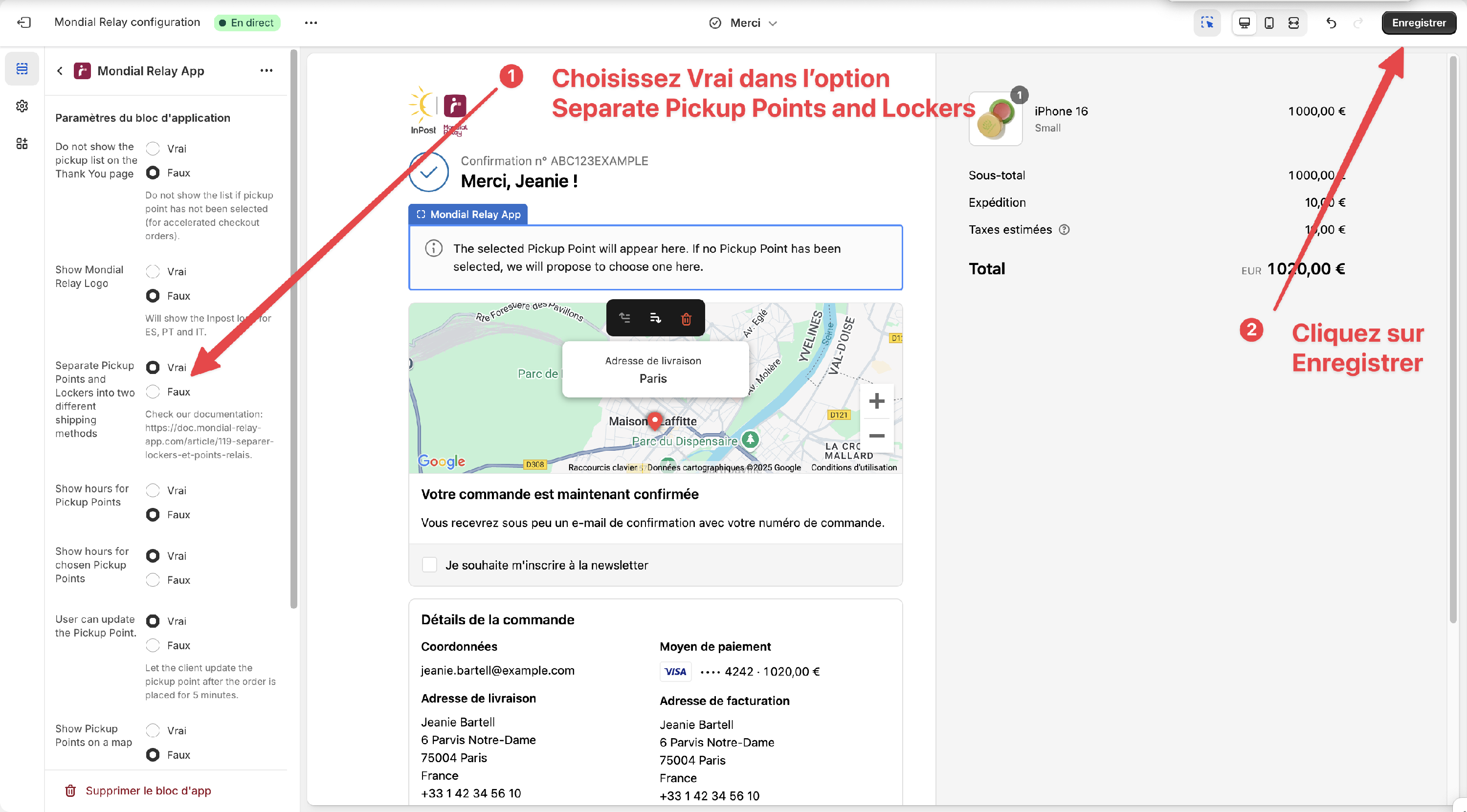
Cochez Vrai dans l'option "Separate Pickup Points and Lockers into different shipping methods - France" et cliquez sur Enregistrer
-
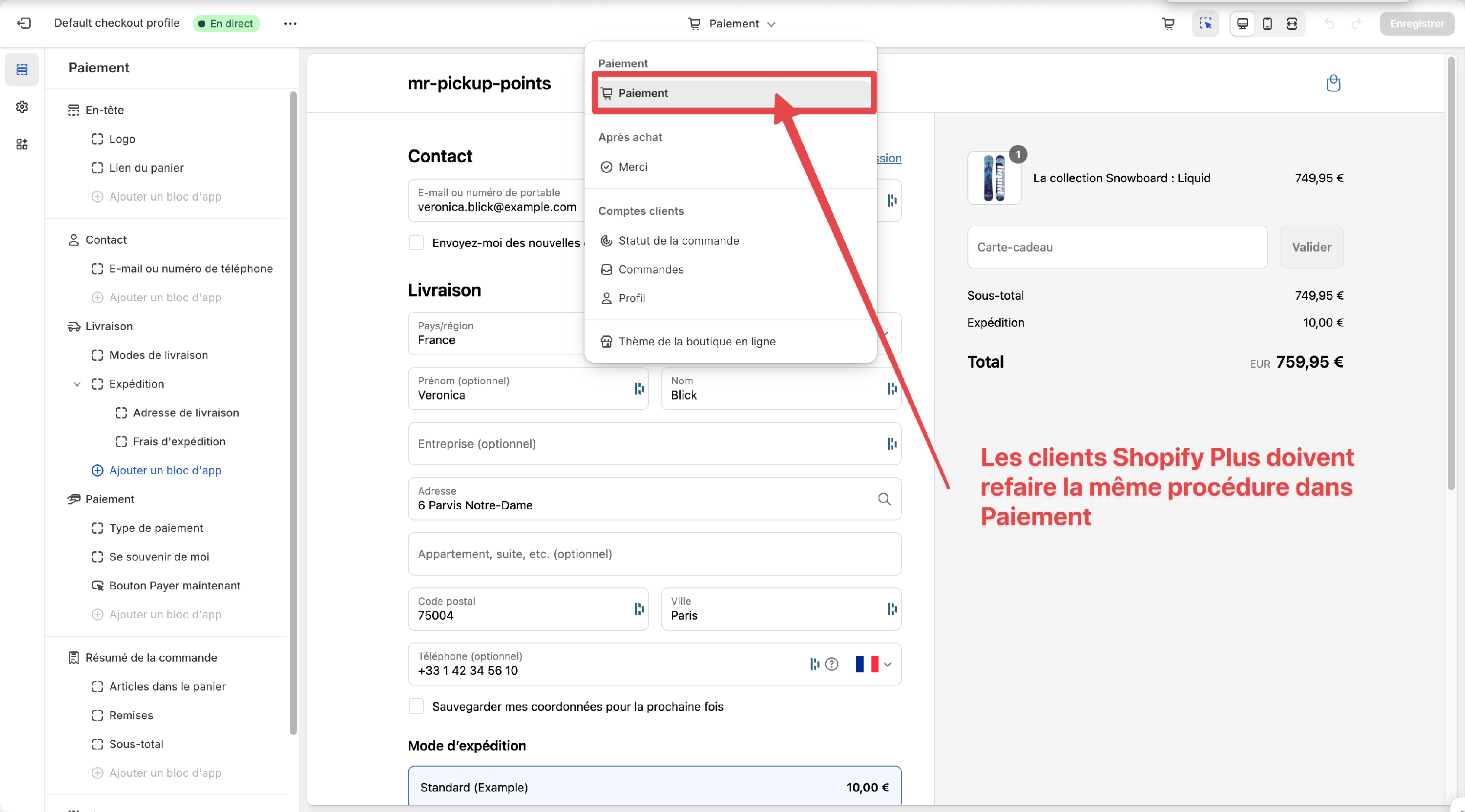
If you are a Shopify Plus customer, you must repeat the same operation for the Payment section.
- Place a test order. If you choose Locker delivery, you should only see Lockers. If you choose Point Relais® delivery, you should not see any Lockers in the list.
- Si vous souhaitez activer la séparation pour la Belgique, vous pouvez répéter la même procédure pour les modes de livraison Belges.
